Navigation
阅读进度0%
三、其它打包工具
December 19, 2024 (1y ago)
Rollup
Parcel
打包工具
前端工程化
Rollup概述
这个东西是一个非常小巧的EsModule打包工具,虽然没有webpack强大,但是非常的灵活特别适合做lib库的打包工具,它基本上不会掺入代码,而且可以自动的实现tree-shanking
快速上手
要上手这个东西是非常简单,现在我们来看看
一、项目结构
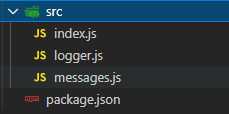
二、使用非常简单(我们来看看如何通过命令行来使用它)
yarn rollup ./src/index.js  --formate iife  --file dist/bund.js
# 入口 格式 iife是自调用函数 打包出来的东西放在哪个位置
配置文件
我们再来看看它的config是如何的, rollup.config.js
export default {
  input: 'src/index.js',  // 入口
  output: {
    file: 'dist/bundle.js',  // 输出结果
    format: 'iife'  // 输出格式
  }
}
yarn rollup --config rollup.config.js使用插件
rollup就是一个小的打包器,不带其他奇奇怪怪的东西。插件是rollup唯一的扩张方式。我们来做一个的小的demo这个demo目的就是让rollup加载打包文件
注意:rollup可以直接使用esModuel
import json from 'rollup-plugin-json'

export default {
  input: 'src/index.js',
  output: {
    file: 'dist/bundle.js',
    format: 'iife'
  },
  plugins: [
    json() // 注意这里需要传递的是函数调用 而不是引用
  ]
}
加载NPM模块
rollup 默认只能查找本地的引用,无法使用node_modeule安装的lib,但是他有差距可以支持
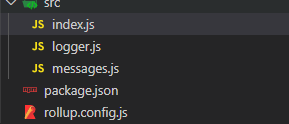
import json from 'rollup-plugin-json'
import resolve from 'rollup-plugin-node-resolve'

export default {
  input: 'src/index.js',
  output: {
    file: 'dist/bundle.js',
    format: 'iife'
  },
  plugins: [
    json(),
    resolve()
  ]
}
在代码中测试看看
index.js
// 导入模块成员
import _ from 'lodash-es'
import { log } from './logger'
import messages from './messages'
import { name, version } from '../package.json'

// 使用模块成员
const msg = messages.hi

log(msg)

log(name)
log(version)
log(_.camelCase('hello world'))
yarn rollup --config rollup.config.js # 就好了加载 Commonjs模块
使用起来也比较的简单就是一个commonjs的插件
import json from 'rollup-plugin-json'
import resolve from 'rollup-plugin-node-resolve'
import commonjs from 'rollup-plugin-commonjs'

export default {
  input: 'src/index.js',
  output: {
    file: 'dist/bundle.js',
    format: 'iife'
  },
  plugins: [
    json(),
    resolve(),
    commonjs()  // 载入这个就可以了
  ]
}
代码拆分
一、先看看文件夹结构和关键代码
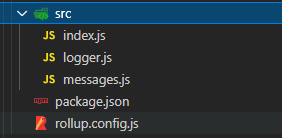
# index.js
// // 导入模块成员
// import { log } from './logger'
// import messages from './messages'

// // 使用模块成员
// const msg = messages.hi

// log(msg)

import('./logger').then(({ log }) => {
  log('code splitting~')
})
二、配置好目录
export default {
  input: 'src/index.js',
  output: {
    // file: 'dist/bundle.js',
    // format: 'iife'
    dir: 'dist',
    format: 'amd'
  }
}
多入口打包
在rollup上比较的简单
export default {
  // input: ['src/index.js', 'src/album.js'],
  input: {
    foo: 'src/index.js',
    bar: 'src/album.js'
  },
  output: {
    dir: 'dist',
    format: 'amd'
  }
}
需要注意的是由于实现的amd规范,所以你在html里需要这样写
<!DOCTYPE html>
<html lang="en">
<head>
  <meta charset="UTF-8">
  <meta name="viewport" content="width=device-width, initial-scale=1.0">
  <meta http-equiv="X-UA-Compatible" content="ie=edge">
  <title>Document</title>
</head>
<body>
  <!-- AMD 标准格式的输出 bundle 不能直接引用 -->
  <!-- <script src="foo.js"></script> -->
  <!-- 需要 Require.js 这样的库 -->
  <script src="https://unpkg.com/requirejs@2.3.6/require.js" data-main="foo.js"></script>
</body>
</html>
选用规则

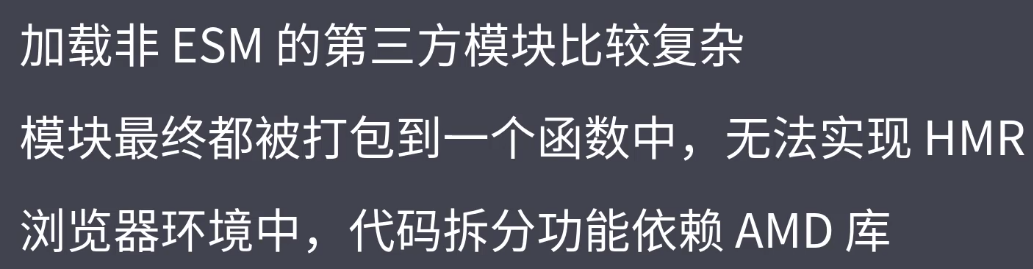
如果你是开发框架就用这个rollup,vue,react就是用的它
webpack大而全,rollup小而美
Parcel
这个是一个零配置的前段打包器
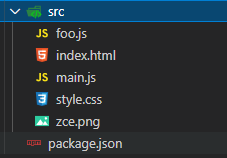
一、代码结构
# index.html
<!DOCTYPE html>
<html lang="en">
<head>
  <meta charset="UTF-8">
  <meta name="viewport" content="width=device-width, initial-scale=1.0">
  <meta http-equiv="X-UA-Compatible" content="ie=edge">
  <title>Parcel Tutorials</title>
</head>
<body>
  <script src="main.js"></script>
</body>
</html>

#  main.js
// import $ from 'jquery'
import foo from './foo'
import './style.css'
import logo from './zce.png'

foo.bar()

import('jquery').then($ => {
  $(document.body).append('<h1>Hello Parcel</h1>')

  $(document.body).append(`<img src="${logo}" />`)
})

if (module.hot) {  // 这个也可以进行模块热更新
  module.hot.accept(() => {
    console.log('hmr')
  })
}

# foo.js
export default {
  bar: () => {
    console.log('hello parcel~')
  }
}
官方给出的建议是在index.html做为入口
parcel可以自动的安装模块(意思是你只需要写import在代码里,你保存它就自己去安装去了)
现在我们来运行一下
yarn parcel src/index.html
# 生成模式打包
yarn parcel build src/index.html
# 一般情况下 parcel 内部使用的多进程,打包的时候要比没有使用插件的webpack速度快,可以重复的利用多核CPU的性能
但是较比于webpack越来越来强大,生态强大。parcel自己玩玩就好了,项目的化依然吹爆webpack